How a Driver App Transforms Waste Hauling Operations
Why Waste Haulers Need a Mobile Driver App
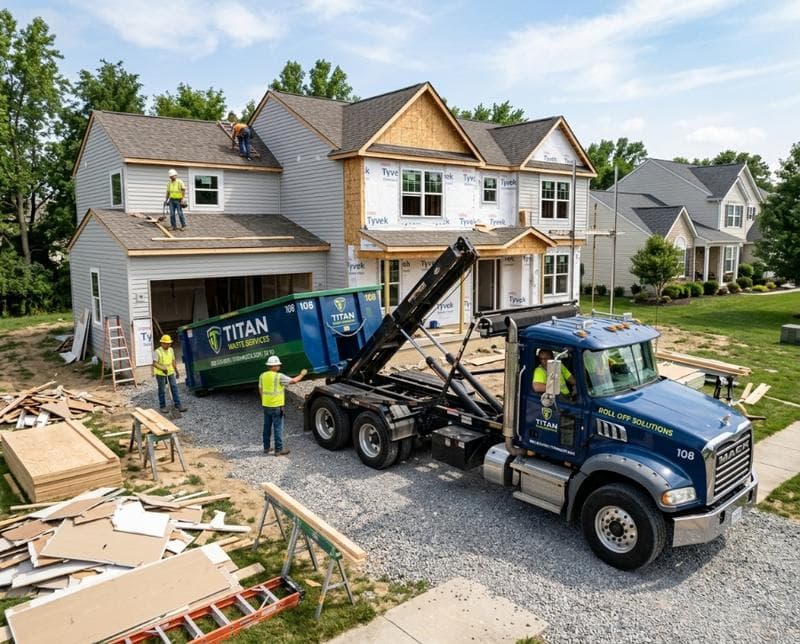
Most waste hauling operations still rely on manual communication—drivers calling in, office staff making notes, and disputes over which stops were completed. The result is wasted time, customer frustration, and lost revenue from unresolved billing issues. A dedicated driver app eliminates these pain points by giving every hauler a tool designed specifically for their job: managing multiple stops, capturing proof of service, and updating dispatch in real time.
Without a driver app, your team lacks accountability at the point of service. When a customer claims a bin wasn't picked up or was damaged, you have no visual proof to defend your company. A mobile app solves this by letting drivers photograph every stop, geotag the location, and timestamp the work—creating an indisputable record that protects both your business and your reputation.
Photo Capture and Proof of Service
Photos are the backbone of dispute resolution in waste hauling. When a driver snaps an image of a completed pickup, it becomes evidence that the service was delivered. This simple feature eliminates "he said, she said" conflicts with customers who claim work wasn't done or bins were damaged. The driver can attach photos directly in the app, and those images sync instantly to your office system—no need for screenshots, emails, or manual file transfers.
Beyond customer disputes, photo documentation helps you identify real problems in the field. If a bin is overfilled and damaged during pickup, the driver's photo proves what happened and why the customer may need a repair or replacement. You can use these images to train drivers on proper technique, adjust pickup frequencies for problem accounts, or document maintenance issues with equipment before they cause bigger headaches.
Real-Time Stop Management and GPS Tracking
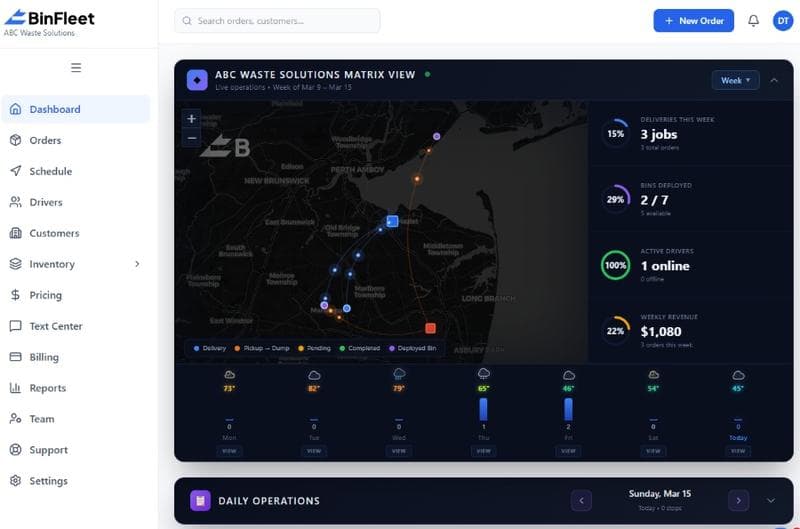
A driver app shows you exactly where your haulers are and which stops they've completed. GPS tracking eliminates the uncertainty of daily operations—you know in real time if a driver is running behind, if a customer's address was skipped, or if someone took a route that didn't make sense. This visibility lets you dispatch adjustments on the fly, reassign stops to other drivers, or proactively alert a customer that their pickup is coming late.
Stop management inside the app also reduces manual data entry. Drivers can check off completed pickups, add notes about access issues or customer requests, and log time spent at each location—all without returning to the office to file paperwork. This streamlined workflow means drivers spend more time on the road and less time on administrative tasks, which directly improves your cost per stop and daily output.
Status Updates That Keep Customers Informed
Customers today expect real-time updates. A driver app enables automated SMS notifications when a pickup is in progress or completed, removing the need for customers to guess when your truck is arriving. This reduces "where is my hauler?" calls to the office and improves the customer experience with minimal effort from your team. The app can send notifications at key moments—arrival at the location, pickup complete, and departure—so customers feel heard and informed.
These automated updates also protect your drivers. When customers know exactly when to expect service, they're less likely to flag down the truck with complaints or requests that eat into schedule time. By managing expectations through the app, you create a more professional interaction and reduce friction that can lead to negative reviews or refund requests. This simple communication layer has a measurable impact on customer satisfaction scores and retention.
Integration With Dispatch and Back-Office Systems
A driver app only delivers value if it connects with your dispatch and billing systems. When drivers mark stops complete in the app, that data should automatically flow to your invoicing system—eliminating duplicate data entry and the errors that come with it. If a stop is skipped or moved, the changes should cascade through your route optimization, customer statements, and payment processing in real time. This integration is what separates a useful app from a nice-to-have tool.
Look for a driver app that works within a larger platform designed for waste hauling, not a generic delivery app adapted for your industry. A purpose-built solution like BinFleet understands waste-specific workflows: container swaps, weight tracking, route variations, and multi-yard operations. When your driver app is built on an integrated platform, every piece of data—photos, GPS location, completion status, and notes—feeds directly into dispatch, billing, and customer communication without manual handoffs.
Accountability, Training, and Driver Performance
A mobile app creates a permanent record of each driver's work quality and consistency. Over time, you can identify patterns: which drivers finish on time, who takes longer at certain stops, and who has fewer customer complaints. This data-driven insight lets you coach underperforming haulers with specific examples and reward top performers objectively. Drivers also know they're being monitored fairly, which encourages professional behavior and reduces theft or off-route stops.
Photos and location data also support driver safety and route optimization. If a driver frequently arrives at stops during unsafe hours or takes inefficient routes, you can adjust assignments and training. If a driver consistently photographs damaged bins, you can investigate equipment issues or provide better pickup technique coaching. The app transforms raw field data into actionable intelligence that improves your entire operation over time.
Getting Started With a Driver App
Implementing a driver app doesn't require a complete business overhaul. Start by choosing a system that's built specifically for waste hauling and designed to scale from small operations to multi-yard enterprises. The app should be intuitive enough that drivers learn it in minutes, not days, and it should work on standard smartphones and tablets without special hardware. Testing with a single truck or small team lets you validate the workflow, identify pain points, and train staff before full rollout.
Most modern driver apps also include offline functionality, so drivers can capture photos, log stops, and add notes even without cell service. The app syncs everything back to your office system once connectivity returns, ensuring you never lose critical data. This reliability is essential in waste hauling, where job sites and rural pickups often fall in coverage gaps. See how BinFleet's driver app works in a live demo to understand how it handles your specific operational challenges.
FAQ: Driver Apps for Waste Haulers
What if my drivers don't have smartphones?
Most waste hauling operators today provide company phones or allow drivers to use personal devices on a company plan. A modern driver app uses minimal data and battery, so it works on basic smartphones and tablets from 2020 or earlier. If budget is a concern, you can equip your trucks with low-cost tablets mounted on the dashboard, rotating them between vehicles as needed. Starting with key routes allows you to phase in devices without buying 50 phones at once.
How do I ensure drivers actually use the app and don't skip steps?
The app's structure should make it easier to use the app than to skip it. If marking a stop complete in the app is faster than calling the office, drivers will do it. Include automated reminders for incomplete stops, and review the data weekly with your team so drivers see that management is watching. Tie driver performance metrics from the app to pay incentives or recognition programs, and the adoption problem solves itself.
Can a driver app help with billing disputes?
Absolutely. Photos, GPS location data, and timestamped stop completion create undeniable proof of service. When a customer disputes a charge, you can pull the driver's photo from the app and show exactly when and where the work was done. This dramatically reduces disputed invoices and refund requests, and it gives your office staff concrete evidence to defend a charge rather than having to guess or negotiate.
Is a driver app hard to set up and maintain?
A purpose-built platform handles most setup and maintenance for you. Once you configure your stops and customer list, drivers download the app and log in with a simple code. Updates happen in the background, and technical support is included. The real work is training your team on the workflow, which typically takes a few hours. Read more about deploying new software in waste operations to plan your rollout effectively.
Ready to Streamline Your Operation?
See how BinFleet AI helps waste haulers save time, cut costs, and grow.
Request a Free 30-Day TrialRelated Articles
How a Mobile Driver App Transforms Waste Hauling Operations
Driver Apps for Waste Haulers: How Mobile Technology Transforms Daily Operations