How a Driver App Transforms Waste Hauling Operations in 2026
Why Waste Haulers Need More Than a Generic GPS App
Generic navigation apps like Google Maps or Waze solve one problem: getting from point A to point B. But waste hauling isn't a simple delivery business. Your drivers need to manage multiple stops per route, confirm container pickups or drops, capture compliance photos, handle customer communication, and log service details—all while managing traffic and tight schedules. A driver app built for waste hauling does all of this without requiring drivers to switch between five different tools on their phone.
When drivers rely on phone calls, radio communication, and paper notes, operational blind spots multiply quickly. You don't know if a stop was completed until the driver returns to the yard. Customers don't know when their bin will arrive. If a problem occurs—a damaged container, a missed pickup, or a service complaint—you're scrambling to piece together what happened from memory. A dedicated driver app closes these gaps by creating a real-time operational record that protects your business and improves customer satisfaction.
Managing Stops and Routes Without Pen and Paper
Digital route management means each driver sees their assigned stops on a map with all relevant details: container size, service type, special instructions, and customer contact information. Drivers can mark stops as complete with a tap, eliminating the old paper manifest workflow where routes sat in file cabinets until they were transcribed days later. This real-time marking also updates dispatch instantly, so if a problem arises—a broken container, an unreachable customer, or a schedule conflict—management knows about it before the driver moves to the next stop.
The accuracy improvement alone justifies the investment. Paper routes create data entry delays, transcription errors, and disputes about what actually happened at each stop. With a mobile app, the driver is the data source. They confirm the job was completed, they document the actual condition, and they capture proof immediately. By the time a route is finished, your back office has clean, verified data ready for billing, compliance reporting, and customer inquiries.
Photo Proof and Compliance Documentation
Waste hauling involves accountability at every step. Customers expect proof that their container was picked up or delivered. Your company needs evidence in case of disputes over damage, lost items, or service claims. A driver app with integrated photo capture lets haulers document each stop with timestamped images—showing the container condition before pickup, the service performed, or the delivery location. This proof automatically attaches to the job record and becomes part of your compliance and customer service arsenal.
Photos also protect your drivers and your reputation. When disputes arise, you have objective evidence rather than a he-said-she-said situation. If a customer claims their bin was never picked up, you have a timestamped photo. If a driver is accused of damage, you have documentation of the bin's actual condition. This kind of built-in accountability reduces insurance claims, protects your team from false complaints, and strengthens customer relationships through transparency.
Real-Time Status Updates and Customer Communication
Customers no longer accept radio silence during service windows. They want to know when to expect their pickup or delivery, and they want confirmation when the job is done. A driver app that automatically sends SMS updates at key moments—"Your bin pickup is scheduled for today," "We're 15 minutes away," "Your service is complete"—improves customer experience without burdening your dispatch team. Drivers don't have to make phone calls or remember to relay messages; the system handles it automatically based on job status.
This kind of automated communication also reduces customer service calls. When customers know exactly when to expect service and receive instant confirmation when it's done, confusion and frustration drop dramatically. Your dispatch team spends less time fielding questions about arrival times and status updates, freeing them to focus on exception management and optimization. The result is happier customers, fewer complaints, and less overhead in your call center.
Data Collection That Feeds Better Decision-Making
Every time a driver completes a stop, they're generating data: actual travel time, time spent at each location, service type, container condition, any issues or delays. Over weeks and months, this data reveals patterns that help you optimize routes, identify slow-performing stops, spot maintenance issues, and plan hiring and fleet needs. Dispatch managers can see which drivers complete routes fastest, which areas have chronic delays, and where customer problems cluster. Operations leaders can benchmark productivity, identify training opportunities, and make capital investments based on actual usage patterns rather than guesses.
This visibility also supports fair driver compensation and accountability. If your company pays by completed stops, the app creates an indisputable record. If you're analyzing why one driver consistently finishes early while another runs overtime, you can see the actual data instead of relying on supervisor impressions. For fleet managers planning maintenance schedules, the app data shows vehicle usage intensity, helping you predict when service is needed and avoid unexpected downtime.
Integration With Dispatch and Back-Office Operations
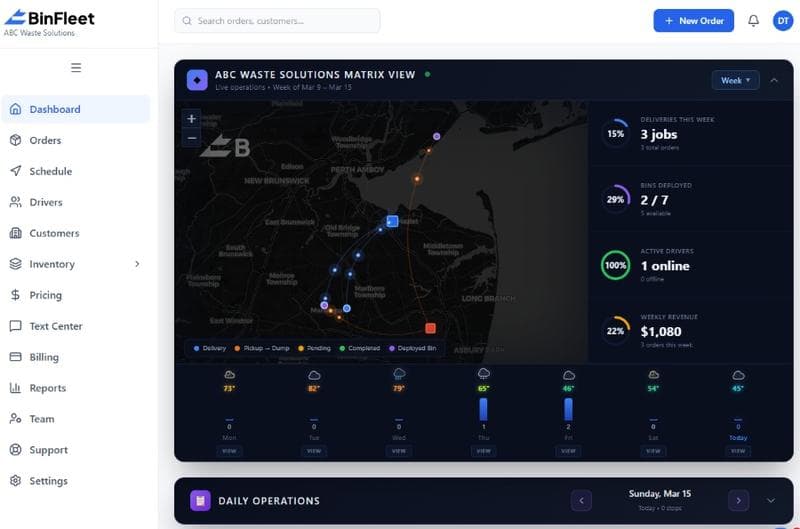
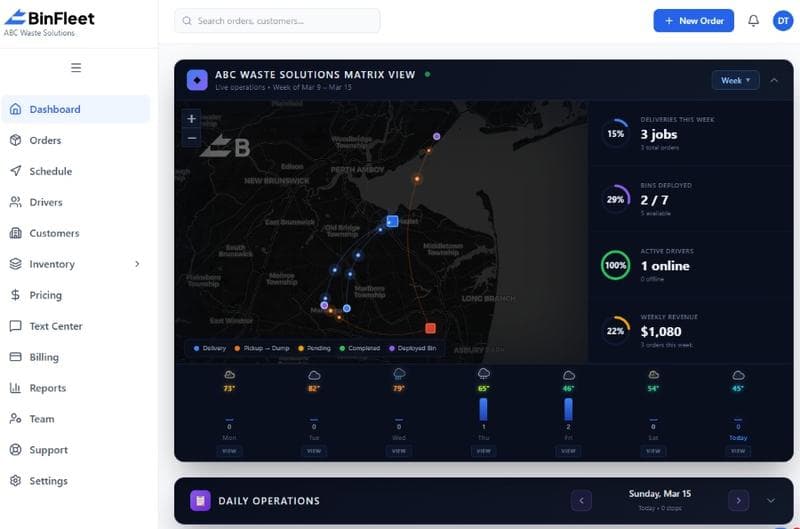
A driver app doesn't work in isolation. It needs to sync seamlessly with your dispatch system, billing platform, and customer management tools. When a driver marks a stop complete with photo proof, that data flows automatically into your invoicing system, customer communication platform, and compliance records. This integration eliminates manual data re-entry, reduces billing delays, and ensures every system has the same version of truth. If you're running BinFleet or similar platform, the driver app is the field extension of your entire operation.
This end-to-end connectivity also enables intelligent dispatch optimization. The system learns from historical data which drivers perform best on which routes, factoring in time of day, weather, traffic patterns, and driver experience. Over time, dispatch becomes predictive rather than reactive. You're not just responding to today's service requests; you're continuously optimizing how you allocate drivers and containers based on real operational intelligence.
Frequently Asked Questions
What happens if a driver loses cell signal or internet connection?
Modern driver apps are built with offline-first architecture. Drivers can continue marking stops complete, capturing photos, and updating job details even without cell signal. Once connectivity returns, the app syncs automatically with the server, so no data is lost. This design ensures that poor coverage in rural areas or temporary connectivity gaps don't disrupt your operations.
Can drivers use their personal phones, or do we need to provision company devices?
Most waste hauling companies use a mix. Some provide company phones for standardization and security, while others allow BYOD (bring your own device) with mobile device management (MDM) policies to protect company data. A good driver app works reliably on both Android and iOS, runs efficiently on older phones, and doesn't require high-end hardware. The choice depends on your budget, security requirements, and workforce preferences.
How long does it take drivers to learn the app?
A well-designed driver app should require minimal training. Most waste haulers report that drivers are comfortable with basic functions (marking stops, taking photos, checking route details) within a single shift. More advanced features—like custom notes, exception reporting, or proof-of-delivery workflows—may take a few days to master, but the core workflow is intuitive enough that drivers can be productive immediately.
Does a driver app really reduce billing errors and disputes?
Yes, significantly. Because the app creates an immediate digital record of every stop with photo proof and timestamps, billing data is accurate by default. Disputes over whether a service was performed, or when it was performed, become rare when you have objective documentation. Most haulers report that the investment in a driver app pays for itself through reduced billing adjustments and dispute resolution costs.
Choosing the Right Driver App for Your Operation
Not all driver apps are created equal. Some are stripped-down navigation tools; others are bloated with features you'll never use. The best choice for your waste hauling business depends on your operation size, route complexity, customer expectations, and integration requirements. You want an app that's fast, intuitive for drivers with varying tech comfort, reliable offline, and tightly integrated with your dispatch and billing systems.
If you're evaluating driver app options, request a demo to see how BinFleet's mobile solution handles route management, photo documentation, and real-time customer communication in a live environment. The right app will streamline driver workflows, reduce operational friction, and give you the visibility you need to run a tighter, more profitable business. Start with a free trial to test the experience with your team before committing fully.
Ready to Streamline Your Operation?
See how BinFleet AI helps waste haulers save time, cut costs, and grow.
Request a Free 30-Day TrialRelated Articles
How a Mobile Driver App Transforms Waste Hauling Operations
Driver Apps for Waste Haulers: How Mobile Technology Transforms Daily Operations