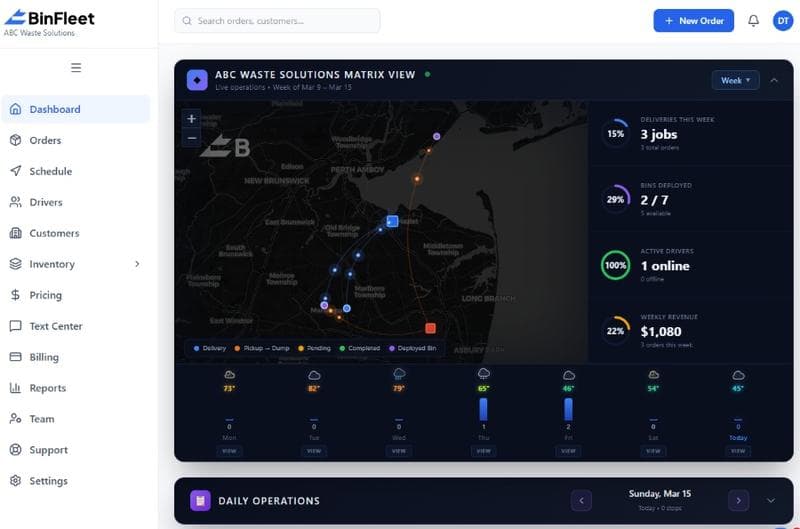
How a Driver App Transforms Waste Hauling Operations
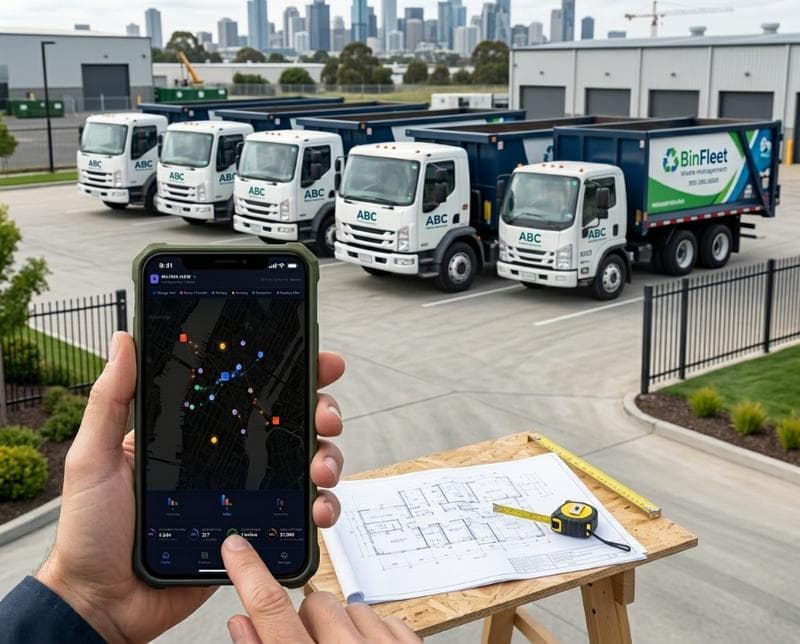
Why Drivers Still Work Without Mobile Apps
Many waste hauling businesses still rely on printed manifests, handwritten notes, and radio updates. Drivers finish a stop and call the office to confirm completion. Customers text the dispatcher asking where their bin is. Photos of problem pickups get lost in email threads. This fragmented workflow wastes time, introduces human error, and leaves gaps in accountability that breed customer complaints and operational confusion.
The root cause isn't laziness—it's that traditional dispatch systems were built for desktop offices, not the reality of drivers working alone in the field. A driver can't safely pull over to log into a clunky web interface on a tablet. They need something designed for one hand, poor lighting, and the reality of moving between stops every few minutes. Without a purposeful driver app, dispatchers end up managing by phone calls and hoping nothing important gets missed.
Real Problems a Driver App Actually Solves
When drivers use a dedicated mobile app, they eliminate the gap between completing a task and reporting it. Instead of finishing a pickup and driving to the next stop without documentation, they tap a button to mark the job complete. The system instantly records a timestamp, location data, and any notes they type. This eliminates the "I thought I marked that done" disputes and gives dispatch real-time visibility into what's actually happening on the route.
Photo capture is another operational game-changer. Customers dispute whether a bin was damaged before pickup or during service. Drivers get questions about full containers. A driver app lets haulers snap photos before and after each stop, attach them to the job record, and settle disputes with evidence instead of hearsay. The photos upload automatically when the driver returns to cell coverage, ensuring documentation is never lost or forgotten back at the yard.
How Status Updates Create Customer Confidence
Modern customers expect text or app notifications about their service. When a driver marks a stop complete in the app, BinFleet can automatically send the customer a confirmation message. This eliminates drivers having to call or text updates themselves while driving, and it replaces the anxiety customers feel when they're unsure if service happened at all. A simple "Your dumpster was picked up at 10:47 AM" builds trust and reduces callback volume by 20-30% for haulers using automated notifications.
The transparency also protects your business. When a customer claims you missed them, you have timestamped proof of service with geolocation data. When a billing dispute arises, you have a complete record of when and where work was completed. This evidence-based approach to service documentation shifts disputes toward resolution instead of argument, and it gives dispatchers confidence that their team isn't being blamed for issues they didn't cause.
Reducing Manual Data Entry and Dispatch Overhead
Without a driver app, dispatch teams spend hours re-entering information. A driver completes a route and reports verbally or via text. Someone has to transcribe those notes into the system. Photos come through email or text. Completion statuses get updated in a separate spreadsheet. By evening, the accounting department is chasing information to invoice correctly. A driver app eliminates these handoff points by making the driver's field work the source of truth that flows directly into the system.
This efficiency gain compounds across your operation. With fewer manual updates, your dispatch team handles more routes per shift. Your billing cycle accelerates because service documentation is already in the system. Your operations manager has real-time visibility instead of waiting for end-of-day reports. For a 15-truck operation, this can mean recovering 10-15 hours per week that were spent chasing, re-entering, and verifying field data.
Building Accountability Without Being Heavy-Handed
A concern some owner-operators have is that driver tracking can feel invasive or create friction with their team. Modern driver apps balance accountability with respect for driver autonomy. The app tracks location data so you know when service was performed and where, but drivers understand this is necessary for customer proof of service and operational accuracy. When implemented correctly, it's not surveillance—it's documentation that protects everyone.
The accountability also cuts both ways. Drivers can dispute unfair customer complaints with evidence. When a customer claims a bin was damaged during service, the driver has before-and-after photos to prove it wasn't their fault. When a stop takes longer than expected, the driver can note the reason in the app—gravel driveway, access issues, extra tonnage—and dispatch understands why the route fell behind. This shared transparency builds trust between drivers and management instead of breeding resentment.
Getting Your Team to Actually Use the App
Technology adoption fails when tools feel like extra work. A driver app succeeds when it makes the driver's job easier, not harder. That means the app should require no more than 10-15 seconds per stop. Tap arrival, snap a photo if needed, tap completion, move to the next stop. If your app requires navigating menus, typing long notes, or syncing manually, drivers will resist using it. The best driver apps are designed around the actual workflow—minimal taps, big buttons, offline functionality that uploads automatically, and zero busy-work.
Driver adoption also improves when management communicates why the app matters. Drivers often assume tracking tools exist to catch them doing something wrong. When you frame it as "this protects you with customer disputes" and "this helps dispatch solve problems faster," the narrative shifts. Including drivers in the selection process—asking them what problems they face in the field—builds buy-in that no top-down mandate can achieve.
FAQ: Driver Apps for Waste Hauling
What happens to driver data when the truck loses cell service?
Modern driver apps work offline by design. A driver completes a stop, marks it in the app, and takes a photo—all stored locally on the phone. When the truck returns to cell coverage, the app automatically syncs the data to the office system. This means drivers never lose information, and dispatch gets updated automatically without the driver having to manually upload anything.
How much does a driver app typically cost?
Most driver app costs are built into a dispatch platform subscription rather than charged separately. BinFleet includes driver app access as part of its platform, scaling with the number of drivers and operations. Pricing is typically $200-$500 per month for small fleets (2-10 trucks) and scales based on volume and features. The ROI from reduced manual data entry and faster billing cycles usually pays for the software within the first few months.
Can drivers use their personal phones, or do I need to buy devices?
Most driver apps work on smartphones drivers already own—both iPhone and Android. You don't need to purchase hardware, which keeps costs low. If you want managed devices for compliance or security reasons, you can purchase basic tablets or rugged smartphones, but many successful haulers simply support BYOD (bring your own device) with clear expectations about app usage and company data protection.
How do you prevent drivers from marking stops complete without actually doing the work?
This is why geolocation data matters. The app records GPS coordinates when a stop is marked complete. Dispatch can verify the location matches the service address. If a driver marks a stop done three blocks away from the address, that's immediately visible as a discrepancy. Combined with photo requirements and customer notifications that give customers visibility, the system creates natural accountability without requiring a dispatcher to police individual drivers.
Making the Move to a Driver App
Switching to a driver app isn't about replacing your entire dispatch system overnight. It's about adding the right tool to the right part of your operation. Start with one or two routes, let drivers get comfortable with the app, and expand from there. Most haulers see improvement in documentation accuracy and dispatch efficiency within the first two weeks of adoption.
The real win is converting field reality into data that serves your entire business. Better documentation means fewer disputes, faster billing, happier drivers, and satisfied customers who trust your service. If you're managing stops, photos, and updates the old way, BinFleet's driver app is worth evaluating. Start with a free demo to see how it works in your actual workflow, or read more about how other haulers have improved their operations with mobile-first dispatch tools.
Ready to Streamline Your Operation?
See how BinFleet AI helps waste haulers save time, cut costs, and grow.
Request a Free 30-Day TrialRelated Articles
How a Mobile Driver App Transforms Waste Hauling Operations
Driver Apps for Waste Haulers: How Mobile Technology Transforms Daily Operations