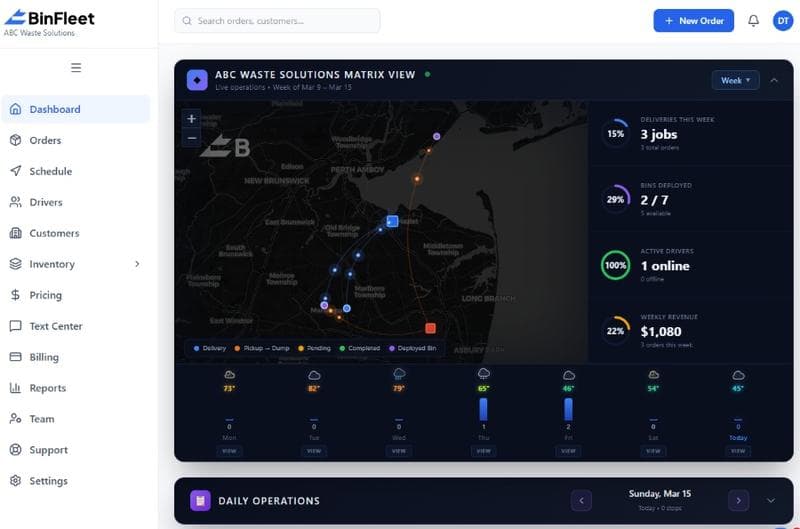
How a Driver App Transforms Waste Hauling Operations
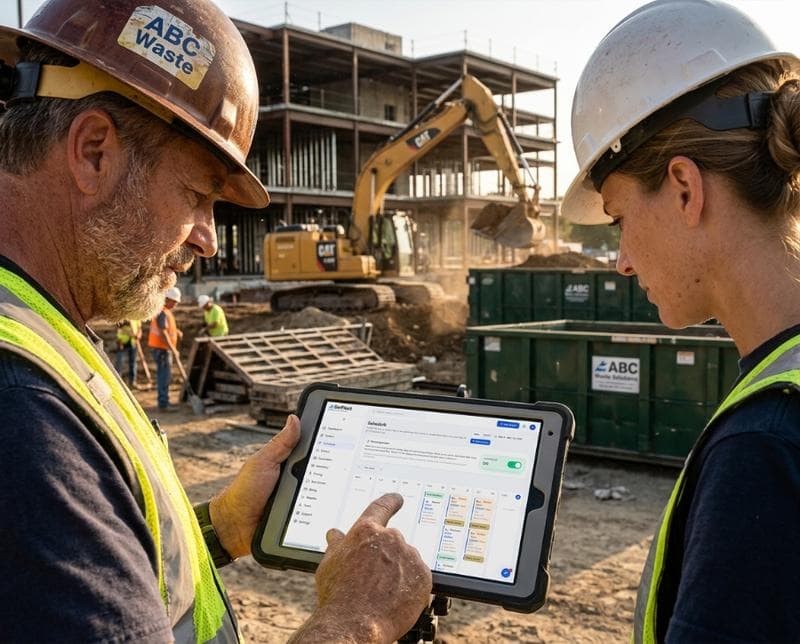
The Real Cost of Managing Drivers Without Mobile Technology
Waste hauling companies that rely on paper tickets, phone calls, and end-of-day email reports are burning hours every week on coordination overhead. Dispatchers spend their morning cross-checking which jobs were actually completed, calling drivers to confirm arrival times, and scrambling to explain delays to frustrated customers. When a driver forgets to note a missed pickup or photo evidence of a problem container, your team has no way to verify what happened on site, leaving you vulnerable to disputed invoices and customer complaints.
The real problem isn't the drivers—it's the friction between the field and the office. Without instant visibility into each stop, dispatchers can't make smart rerouting decisions when a job runs long. Customers get no notification that a driver is five minutes away, so they're either watching their window all day or miss the appointment entirely. That's why waste operators are turning to dedicated driver apps that close the gap between field work and back-office operations.
What a Driver App Actually Does for Your Team
A modern driver app gives each operator a single source of truth for every stop on their route. The app displays the day's jobs in sequence with customer addresses, service instructions, and any special notes—no more sorting through crumpled papers or unclear dispatch texts. When a driver arrives at a location, they can check in with one tap, which automatically notifies dispatch and can trigger a customer SMS saying the truck is nearby. Photos of the container, the pickup area, or any damage get uploaded directly to the job record, creating a timestamped visual proof that's instantly available to dispatchers and management.
Status updates flow in real time. If a driver encounters a locked gate, a blocked dumpster, or an inaccessible location, they can mark the job as requiring a callback or note the reason for non-completion while they're still on site. This means your office team isn't playing detective hours later, trying to figure out why a job didn't get done. Dispatch can immediately reach out to the customer, reschedule, or reassign the work to another driver—all while the issue is fresh and fixable, not after the customer has already called your office three times.
Real-Time Visibility Transforms Routing Decisions
When dispatchers can see where each truck is and how long each stop is actually taking, route optimization becomes proactive instead of reactive. If a driver is running 20 minutes behind on a residential area, dispatch can hold a nearby commercial stop and swap the order to prevent a missed appointment later in the day. During peak season or seasonal demand spikes, live location data lets you spot which neighborhoods are bottlenecked and reassign stops before customers start canceling.
This real-time layer also protects your business from disputes. A customer claims their container was never picked up? The app shows the exact time the driver arrived, the photos they took, and the GPS coordinates. A hauler disputes mileage or fuel claims? Your dispatch history shows their actual route and time spent at each stop. That transparency builds customer trust and eliminates the back-and-forth that costs your team hours each month.
Photo Proof and Documentation Built Into Every Stop
Container conditions change fast, especially in high-traffic areas or seasonal markets. A driver can snap photos of damage, overfilled bins, hazardous materials, or blocked access points directly from the app, and those images attach to the job automatically with timestamps and location data. This protects both you and your customer—if there's a dispute about charges or service quality, you have timestamped evidence. If a container arrives damaged at your yard, you can prove it wasn't your crew that caused the problem.
Documentation also becomes a training tool. When drivers consistently photograph certain issues—improper loading, customer negligence, access problems—your management team can spot patterns and address them with training or policy changes. Instead of anecdotal complaints from drivers, you have data showing exactly what's happening in the field every single day.
Customer Communication Moves From Phone Tag to Real-Time SMS
One of the biggest frustrations for waste customers is the uncertainty: "When is the truck coming?" Without a driver app, that question sends customers to voicemail or requires your office to radio dispatch, who then radios the driver. With automated status updates, your customer gets an SMS when the driver is 10 minutes away, another when they're at the location, and a confirmation photo within minutes of completion. That one feature cuts customer service calls by 30-40% because customers have the information they need without dialing your office.
These SMS updates also reduce no-shows and access issues. Customers who know a truck is coming at a specific time are more likely to be present, unlock gates, or move their vehicle. Your drivers encounter fewer locked gates and blocked containers, which means better on-time performance and fewer callbacks. Better communication isn't just a nice-to-have—it directly improves your operational efficiency and customer retention.
Building a Competitive Advantage in 2026
The waste and hauling market is consolidating, and independent operators are competing on service quality and reliability, not price. Customers expect digital service experiences, and companies offering real-time tracking, photo proof, and instant status updates win contracts over competitors still managing stops with notebooks and end-of-day phone calls. When you're bidding a large commercial account or multi-site contract, showing a prospect your driver app and dispatch dashboard is a decisive selling point.
A solid driver app also makes your team's job less stressful. Drivers appreciate clear job sequences, instant communication, and not being questioned about whether they actually completed a stop (the app shows they did). Dispatchers spend less time on phone tag and more time on strategic planning. And your office team spends significantly less time resolving disputes, hunting for missing documentation, or manually entering field data into your accounting system.
Frequently Asked Questions About Driver Apps for Waste Haulers
Do drivers really use the app consistently, or do they resist it?
Adoption depends on design and training. If the app is clunky or requires lots of tapping, drivers will fight it. A well-designed app that makes their job easier—clear job order, no redundant data entry, easy photo capture—gets adopted naturally. The key is starting with 2-3 weeks of active training and making it clear that the app protects them (photo proof of completed work) as much as it helps dispatch.
What happens if a driver loses signal or goes offline?
Quality driver apps sync data when the connection returns, so a temporary loss of signal doesn't cause job loss. If a driver is in a remote area with no coverage, the app queues updates and syncs when they return to service. Most waste hauling routes are urban or suburban where cellular coverage is reliable, so this is rarely a blocking issue—but it's good to confirm your platform handles it before purchasing.
How does a driver app integrate with our current dispatch and billing system?
Modern platforms like BinFleet are built to manage the full workflow: dispatch, driver app, customer notifications, and billing. Field data flows automatically to your backend, so jobs marked complete in the app update your billing queue instantly. You avoid manual entry and the errors that come with it. If you're evaluating platforms, always ask how field data connects to your invoicing and accounting systems.
Can a driver app reduce disputes and callbacks?
Absolutely. Photo proof, timestamped location data, and clear documentation eliminate most disputes. When a customer questions whether a job was done or what condition something was in, the app's record is your defense. Callbacks drop because status updates prevent no-shows and access issues, and drivers can immediately note problems while on site instead of creating a mystery for dispatch later.
Getting Started With Driver App Technology
If you're managing a small fleet with phone calls and paper, the jump to mobile might feel like a big change. Start by defining your biggest pain point: Is it missed appointments? Unclear documentation? Slow billing because field data isn't recorded instantly? The driver app should solve that problem first, then unlock additional benefits like customer SMS and route visibility.
The best time to implement a driver app is when your team is already feeling the squeeze—too many callbacks, too many disputes, too much manual coordination. That urgency makes training easier and shows immediate ROI. If you want to see how a purpose-built platform like BinFleet handles driver workflows, request a demo to watch the app in action and ask questions specific to your operation. And if you'd like to understand how driver visibility connects to broader operational efficiency, check out our blog for case studies and implementation guides. Starting a free trial lets you test it with your team risk-free, so you can make an informed decision about whether mobile technology fits your business.
Ready to Streamline Your Operation?
See how BinFleet AI helps waste haulers save time, cut costs, and grow.
Request a Free 30-Day TrialRelated Articles
How a Mobile Driver App Transforms Waste Hauling Operations
Driver Apps for Waste Haulers: How Mobile Technology Transforms Daily Operations