How a Driver App Transforms Waste Hauling Operations
The Problem: Why Manual Stop Management Costs You Money
Waste hauling operations rely on drivers remembering complex routes, taking notes on paper clipboards, and reporting back to dispatch via phone calls or radio. This antiquated approach creates bottlenecks: missed stops, duplicate orders, no photographic proof of service, and hours lost to manual data entry at the end of each shift. When a customer disputes a charge or claims a pickup wasn't completed, your dispatcher has no verifiable record. The result is lost revenue, customer churn, and dispatcher frustration.
The real cost isn't just operational inefficiency—it's the hidden expenses that pile up quietly. A driver spending 15 minutes per day finding addresses or confirming stop details adds up to over 60 hours per year of unproductive time. Without real-time status updates, customers call dispatch asking where their hauler is, forcing your team to interrupt the driver or guess at arrival times. These friction points damage your brand reputation and make it harder to compete against companies that deliver transparency.
What a Modern Driver App Actually Does
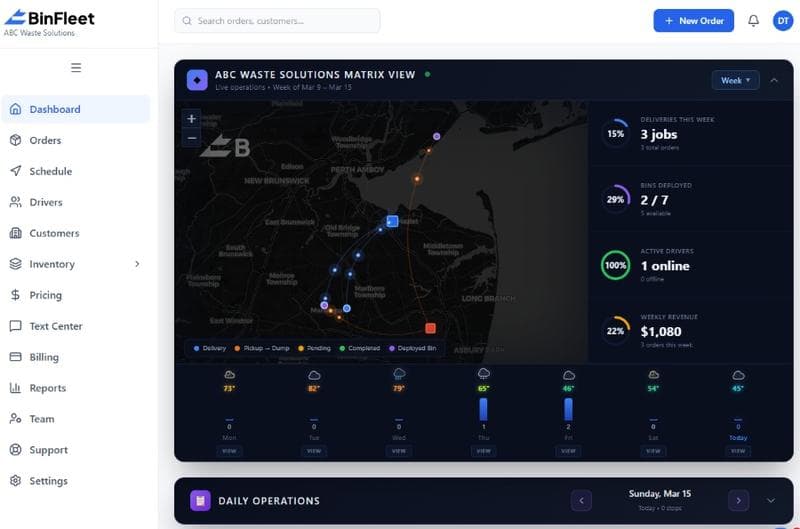
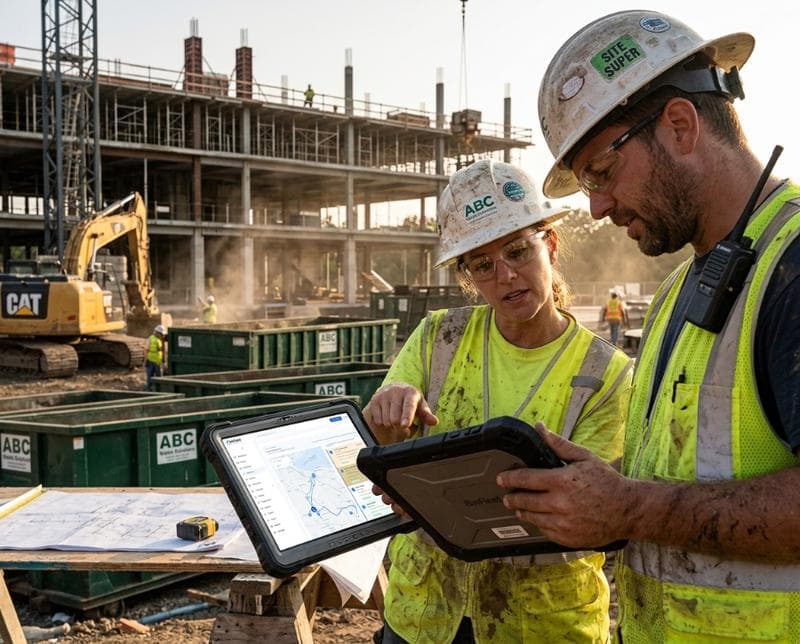
A dedicated driver app gives each hauler a mobile command center. The app displays the optimized route with turn-by-turn navigation, detailed stop information (customer name, container size, special instructions), and a workflow for completing each job. Drivers tap "Arrived," capture photos of bins and the service area, confirm the container is emptied or swapped, and move to the next stop—all within seconds. This structured workflow ensures nothing gets skipped and creates an audit trail that protects both you and your customer.
The app also handles the administrative tasks that slow drivers down. Weight data, container conditions, and fuel stops are logged instantly rather than recorded on paper and re-entered later. Route deviations are communicated to dispatch in real time, allowing the team to reassign stops or adjust customer expectations before problems escalate. Drivers can snap photos of missed access points, hazardous conditions, or overfilled containers, sending that documentation directly to dispatch with a timestamp. This visibility transforms your operation from reactive (waiting for problems to reach the office) to proactive (identifying issues while they're still manageable).
Real Operational Wins: Stop Accuracy and Proof of Service
Stop accuracy is the foundation of customer trust and billing accuracy. When a driver has a clear checklist on their phone—including the exact container ID, desired weight cutoff, and any special notes—the odds of completing the wrong task drop dramatically. Photo documentation adds another layer of verification: you can prove the service was performed, show the condition of the bin, and document any hazards the customer created. If a customer claims they were never serviced, you have photographic proof. If they argue their bill, you have images timestamped to the exact minute.
This proof-of-service capability has measurable business impact. Disputes drop by 40-60% at haulers who implement driver apps with photo capture, because the evidence is indisputable. Your customer service team spends less time arguing with customers and more time handling genuine concerns. New account customers feel confident because they see real-time updates and photographic confirmation. Long-term contracts become easier to justify when you have 12 months of timestamped service records showing consistent, reliable pickup performance.
Route Optimization and Real-Time Dispatch Updates
A driver app integrates with route optimization algorithms that reduce miles driven and fuel costs. Instead of drivers following a printed list or relying on memory, the app automatically sequences stops to minimize backtracking. If a driver finishes early, dispatch can add nearby stops from a queue rather than sending another truck. If weather, traffic, or an emergency causes delays, the driver communicates this through the app, and dispatch updates customers automatically with a new arrival window. This real-time visibility keeps customers informed, reduces "Where is my hauler?" calls, and allows dispatch to make intelligent decisions instead of guessing.
The impact compounds across your fleet. A 5-mile reduction per route per day × 5 days × 50 trucks = 1,250 miles saved weekly. At current fuel prices, that's hundreds of dollars in savings—and that's before accounting for reduced labor hours and lower vehicle maintenance. Drivers also report higher job satisfaction when they're guided by logic instead of confusion, reducing turnover in an industry where finding and retaining quality drivers is increasingly difficult.
Simplifying Customer Communication and Accountability
When a driver logs an action in the app—"arrived," "service complete," "access denied"—that data flows instantly to your dispatch team and can trigger automatic SMS updates to the customer. A customer might receive a text saying "Your pickup was completed at 2:47 PM" with a photo attachment, all without anyone typing manually. If a stop was missed or access was blocked, the customer gets notified immediately with the reason, allowing them to correct the issue before the next scheduled pickup rather than discovering it days later.
This automation reduces customer anxiety, lowers complaint volume, and frees up your office staff to focus on billing, scheduling, and relationship building. It also creates a layer of accountability that protects your drivers. If a customer claims a pickup wasn't done, you have timestamped app records showing the driver was there, what time they arrived, and what happened. If a driver falsifies records, the GPS tracking and timestamps expose the discrepancy. This transparency builds trust with honest drivers and deters dishonesty.
Integration with Your Broader Operations System
The strongest driver apps don't exist in isolation—they sync with your billing, inventory, and dispatch systems. When a driver confirms a pickup in the app, that data automatically feeds into your invoicing software. Weight readings logged on the phone populate your scale reports. Container swaps update your fleet inventory in real time, so your team knows exactly which bins are in the field and where. This integration eliminates double data entry and the errors that come with it. Your back-office staff spends their time analyzing data and improving operations instead of re-typing information from paper into multiple systems.
If you're running multiple yards or expansion to new regions, this centralized data architecture becomes invaluable. A dispatcher in one city can see which bins are available at other locations, manage cross-yard inventory transfers, and monitor performance across the entire company from one dashboard. Growth doesn't require proportional growth in office headcount, because the app handles the coordination and documentation that would otherwise require additional staff.
Choosing the Right Driver App: Key Considerations
Not all driver apps are created equal. Some are generic field service tools that don't understand waste hauling workflows. Others require extensive customization or have steep learning curves that slow your team's adoption. The best apps for waste haulers are purpose-built for the industry, meaning they include features like bulk container tracking, weight management, hazmat handling, and multi-yard dispatch. They should work reliably on older phones and slow networks, because not all drivers have the latest hardware or consistent 4G coverage. The app should also allow dispatch to push route updates and reassignments without requiring the driver to stop and manually refresh.
Consider integration depth: will the app talk to your existing billing, accounting, and fleet management systems, or will it create silos of data that no one can access? Will the vendor still support the app three years from now, or is it a side project that might get abandoned? Request a hands-on demo with drivers in the room—they're the ones who'll use it all day, and their feedback matters more than management's initial impression. Schedule a demo of BinFleet's driver app to see how these features work in a real waste hauling context.
FAQ
Do driver apps work without cell service?
The best driver apps are designed to function offline and sync data once connectivity returns. Routes, stop details, and customer information are downloaded to the phone when the driver clocks in, so they can navigate and reference information even in dead zones. Once the driver regains signal, all logged actions—photos, weight readings, status updates—upload automatically. However, real-time dispatch updates and automatic SMS to customers require active connectivity, so service coverage in your operating area matters.
What if drivers resist using the app?
Resistance often stems from poor user experience or perception that the app is surveillance. A well-designed driver app feels like it's helping them (easier navigation, clearer instructions, fewer repeat calls from dispatch) rather than monitoring them. Frame the rollout as a tool that makes their job easier and less stressful. Train them on it before launch, get feedback during a pilot phase, and address real concerns—don't just mandate adoption. Most drivers embrace the app once they experience a few days of smoother, less frustrating shifts.
How does a driver app reduce billing disputes?
Photo proof of service, timestamped stop logs, and customer SMS updates all create a documented record of what happened. If a customer claims they were never picked up, you show them the photo taken at their location. If a customer disputes the date or weight, you have app records confirming both. This eliminates he-said-she-said arguments and makes it harder for customers to falsely claim service wasn't rendered. The transparency actually builds trust with honest customers and protects you against bad-faith claims.
Can a driver app handle multiple container types on one route?
Yes—a well-designed app displays specific instructions for each stop, including container type, size, service code (pickup, swap, delivery), weight limits, and any special handling. A single route might include residential dumpsters, commercial compactors, and recycling bins with completely different protocols, and the app guides the driver through each one correctly. This flexibility is essential for diversified haulers who handle multiple waste streams and reduces the likelihood of errors.
Getting Started: From Paper Routes to Mobile-First Operations
The transition from clipboards to driver apps feels daunting, but the operational improvements arrive quickly. Start with a pilot: choose one small route or one truck, roll out the app, document what works and what doesn't, and refine the process before full deployment. Your drivers and dispatch team will spot issues and opportunities that seem invisible from a management perspective. Once the pilot proves the concept, scaling to your entire fleet is straightforward—the app infrastructure handles growth, and your team already knows how to use it.
The waste hauling industry is moving faster than many realize. Competitors who adopt driver apps gain visibility, efficiency, and data advantages that translate directly into better customer service and lower costs. If you're curious whether a mobile driver app makes sense for your operation, explore BinFleet's full platform or read more of our operational guides to understand the broader picture. Modern software isn't a luxury anymore—it's the cost of staying competitive and operational excellence.
Ready to Streamline Your Operation?
See how BinFleet AI helps waste haulers save time, cut costs, and grow.
Request a Free 30-Day TrialRelated Articles
How a Mobile Driver App Transforms Waste Hauling Operations
Driver Apps for Waste Haulers: How Mobile Technology Transforms Daily Operations